Solution 1. Unfreeze RDP by running CMD
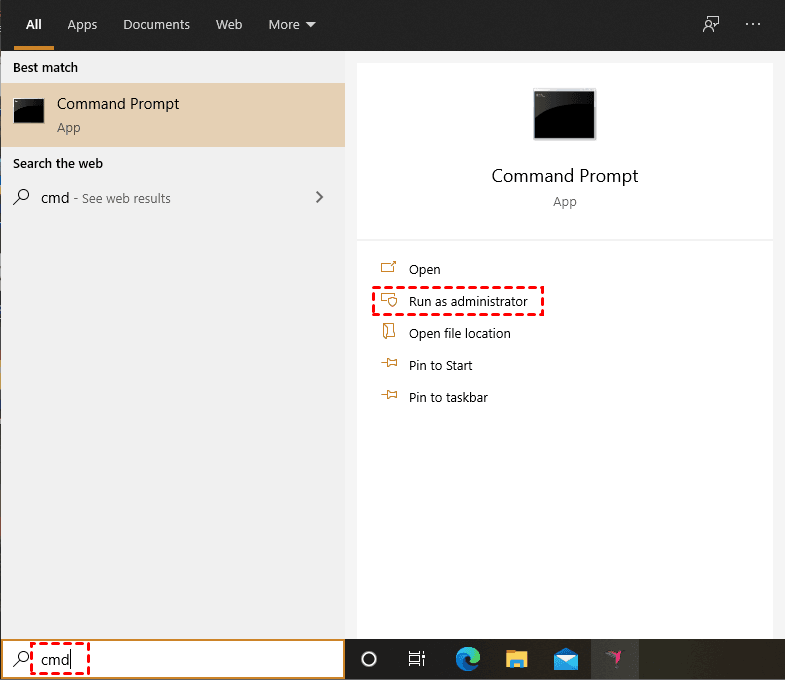
Step 1. Search “cmd” in the search box and then right-click the option and choose “Run as Administrator”.
Step 2. Type the following command line:
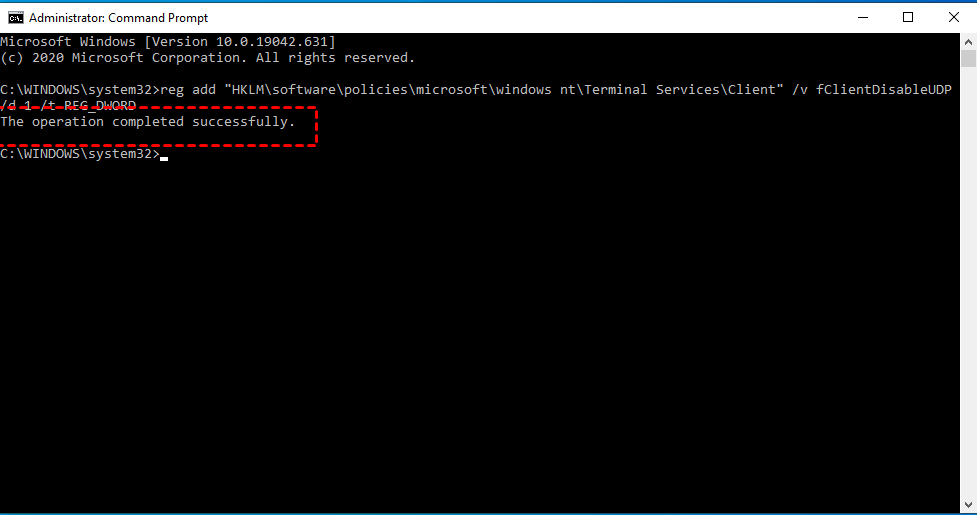
Step 3. Reboot the PC and check whether RDP freezes still.
Solution 2. Unfreeze RDP by using Registry Editor
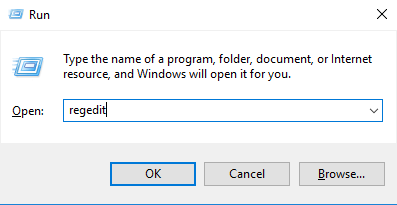
Step 1. Press Win + R and then type “regedit”, and then click on “OK”.
Step 2. Navigation:
HKEY_LOCAL_MACHINE\SOFTWARE\Microsoft\Terminal Server Client
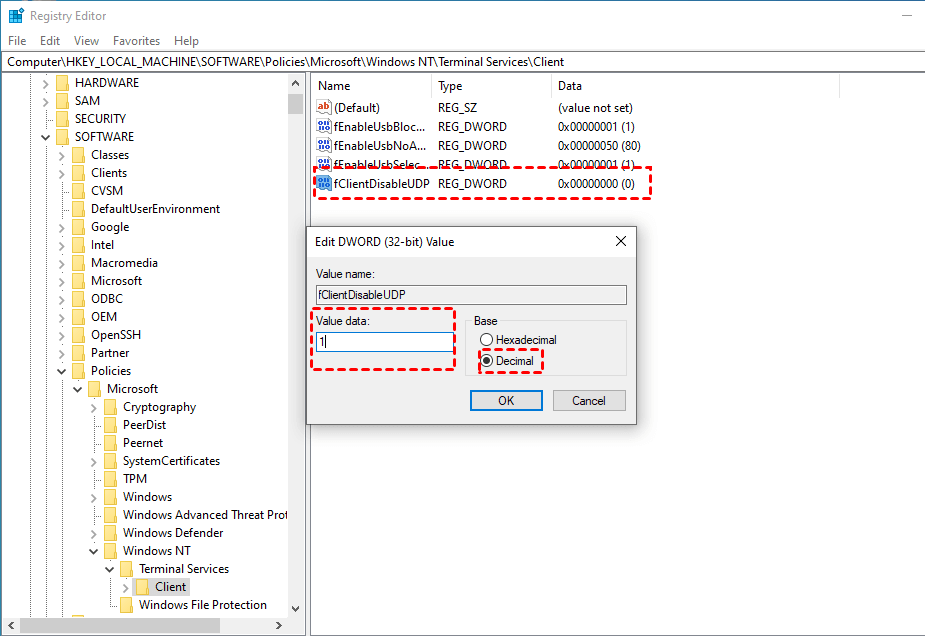
Step 3. Right-click on the right pane, and then select New, and then choose “DWORD(32-bit) value."
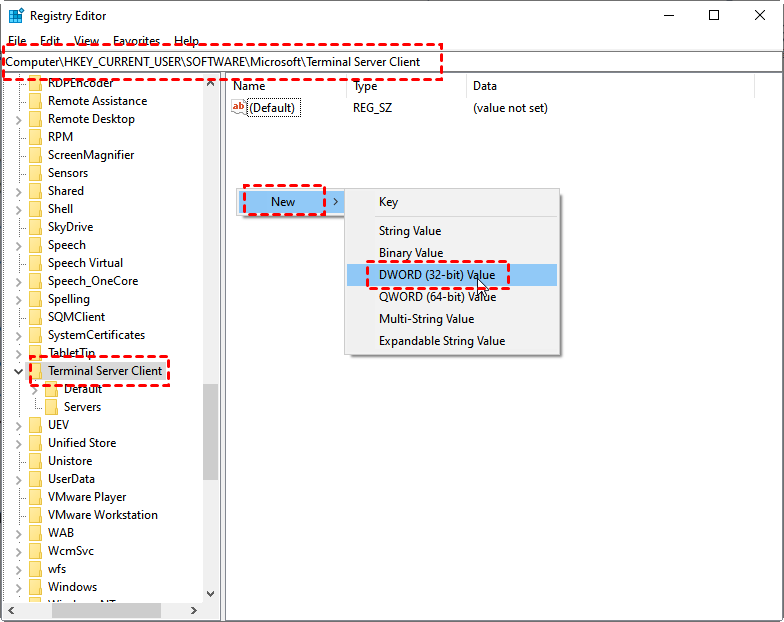
Step 4. Copy “fClientDisableUDP” and then name the new DWORD Value. Set the value data to 1, and choose “Decimal”.
Step 5. Reboot the PC and check whether the RDP connection becomes smooth.
Solution 3. Unfreeze RDP by using Group Policy Editor
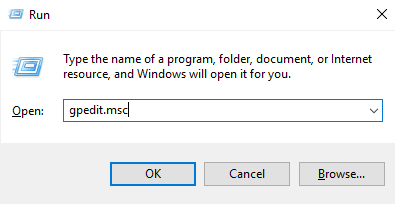
Step 1. Press Win + R and then enter “gpedit.msc”.
Step 2. Navigation:
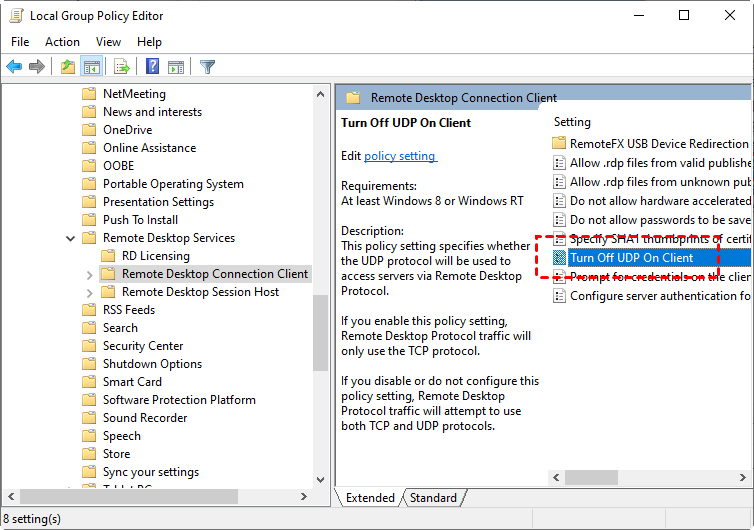
Computer Configuration > Administrative templates > Windows components > Remote Desktop Services > Remote Desktop Connection client
Step 3. Scroll down and find “Turn Off UDP On Client”.
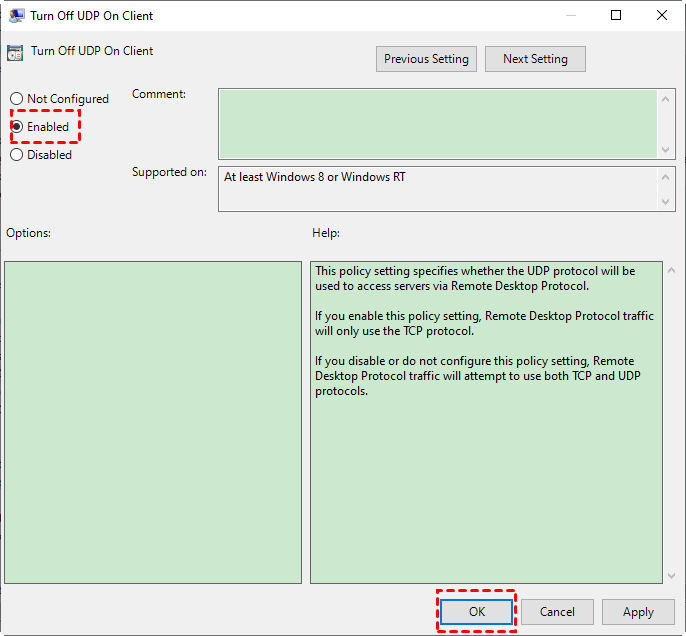
Step 4. Double click on “Turn off UDP on Client” and then tick “Enabled”.
Czy ten artykuł był pomocny?
To wspaniale!
Dziękujemy za opinię
Przepraszamy, że nie udało nam się pomóc!
Dziękujemy za opinię
Wysłano opinię
Doceniamy Twój wysiłek i postaramy się naprawić artykuł